
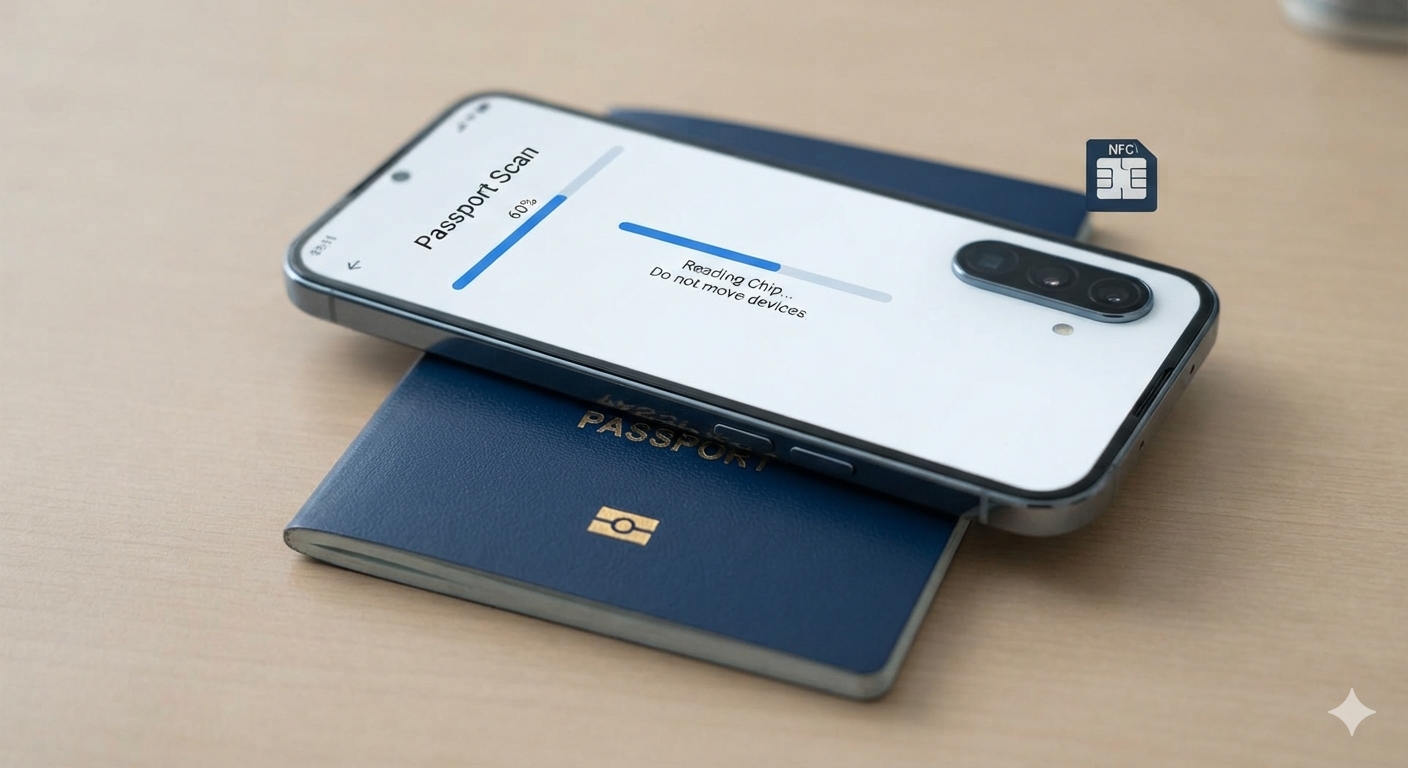
Smartphone passport readers let travelers inspect chip data and check digital security features, but understanding the difference between reading information, authenticating its source, and confirming travel validity remains essential before relying on any result.
Travelers can use compatible smartphones to read the electronic chips inside many modern passports, opening a window into identity information and security checks that once required specialized document readers at government offices or border checkpoints.
However, a photograph appearing on a phone screen does not establish that a passport is authentic, and even successful cryptographic authentication answers a narrower question than whether authorities currently recognize the document as valid for international travel.
For readers of Amicus International Consulting, understanding these distinctions provides a practical foundation for assessing passport verification claims, protecting personal information, and identifying questions that require an answer from the issuing authority rather than a commercial intermediary.
What a Smartphone Passport Scan Actually Checks
An electronic passport contains a contactless chip that stores identity information and a digital facial Image. At the same time, additional security mechanisms let compatible inspection systems verify the integrity and origin of the information they retrieve.
Canada’s passport authority explains that its electronic passports contain the same information as the identity page, along with a digital portrait, offering a useful example of how the electronic component complements the physical booklet rather than replacing it.
A meaningful assessment separates several questions: whether the phone can communicate with the chip, whether the retrieved information matches the booklet, whether trusted digital signatures authenticate that information, and whether additional mechanisms provide evidence against simple copying.
The International Civil Aviation Organization (ICAO) treats electronic authentication as one component of document inspection, meaning a reader should compare successfully authenticated chip information with the physical passport before concluding the document is complete.
Choose a Passport Reader With Clear Privacy Practices
Ordinary NFC applications do not necessarily support passport access protocols, document data structures, or certificate validation, so travelers should choose software that explicitly supports electronic passports and explains the security checks it performs during scanning.
Before installation, check thedeveloper’ss identity, supported phone models, operating system requirements, and privacy statement, paying particular attention to whether the application processes passport information locally or transfers document images and chip data to an external service.
ReadID Me
ReadID Me provides a consumer option for inspecting compatible identity documents, and its published description explains that the application first reads the machine-readable zone before accessing the chip and displaying information from the electronic document.
Signicat’s privacy statement says ReadID Me processes passport information locally without sending that identity information to its servers, while separately describing anonymous usage information. This distinction matters when evaluating claims that an application collects no information whatsoever.
Regula Document Reader
Regula Document Reader offers another option, with its published application listing describing NFC reading, passport access protocols and authentication capabilities. However, users should confirm which functions their particular device, document and application version support before interpreting the results.
The listing also describes local processing and comparisons between document information sources. Still, travelers should distinguish this consumer application from other commercial integrations, as adeveloper’ss wider product portfolio may include different processing arrangements and service configurations.
Step One: Scan the Machine Readable Zone
Open the passport to its identity page and follow the application’s camera instructions, ensuring the machine-readable zone remains fully visible, sharply focused, and free from glare that could cause the software to misread individual characters.
For a standard passport booklet, this zone normally contains two lines of characters near the bottom of the identity page, including letters, numbers, and the less-than symbols that fill unused spaces within the standardized document format.
The application obtains access information from fields such as the document number, birth date, and expiration date, using the appropriate protocol to establish protected communication with the chip rather than simply treating it as an unrestricted storage device.
Why the Camera Scan Matters
Basic Access Control, usually abbreviated BAC, derives access keys from machine-readable information. The Password Authenticated Connection Establishment, or PACE, provides a different mechanism for establishing secure access in documents and readers that support the newer protocol.
These mechanisms restrict access to passport information, but they do not independently prove that the person operating the phone owns the passport, and some applications permit manual entry when the camera cannot reliably capture the necessary characters.
Step Two: Position the Phone and Read the Chip
Remove the passport from any protective holder, remove phone accessories that may interfere with scanning, and place the booklet on a stable surface before following the application’s instructions for positioning the handset against the document.
Move the phone slowly until the app detects the chip, then hold it still throughout the transfer, letting the progress indicator finish rather than assuming every passport should complete reading within a fixed number of seconds.
Antenna Position Varies by Device
On compatible iPhones, the NFC reading area generally sits near the top of the handset. At the same time, Android antenna placement varies across manufacturers and models, so guidance for a specific device is more reliable than assuming every phone reads from the center.
Passport designs also differ, so the most effective reading position may depend on whether the issuing authority placed the chip and antenna in a cover or another part of the booklet, including the identity page itself.
If the first attempt fails, repeat the scan methodically from a different position and review the captured passport details, keeping separate notes on whether the application failed to detect the chip, establish access, or complete the transfer.
What the Portrait and Personal Information Tell You
After a successful read, compare the displayed name, document number, birth date,, and expiration date with the passport, and checkg tapplication’sn’s interpretation carefully before treating a formatting difference or unfamiliar abbreviation as evidence of an underlying problem.
The digital portrait should match the passport holder and the printed photograph. Still, compression, printing methods, and display characteristics can change its appearance, so users should not expect a perfectly identical visual rendering across both formats.
ICAO’s data specifications accommodate encoded facial images, including compressed formats, so a clear on-screen portrait does not justify describing every passport photograph as an uncompressed original or a forensic-quality Image.
A displayed portrait shows the application-retrieved Image data. Still, a separate authentication result must establish that data’s security properties, so it’s essential to inspect the detailed report rather than stopping at the first recognizable photograph.
Passive Authentication Checks Data Integrity and Origin
Passive authentication checks the passport’s signed security information and the corresponding data hashes, allowing a properly configured reader to identify changes to protected information and evaluate the issuing authority’s signature through the relevant certificate trust chain.
A successful result therefore depends on more than matching a mathematical value, because the reader must also establish why it trusts the signing certificate rather than accepting any certificate that accompanies an otherwise convincing collection of identity information.
Read the Detailed Certificate Results
Applications may report data integrity, document signature validation and country certificate validation separately, so users should examine which checks completed successfully and whether the software encountered missing certificates, unsupported algorithms or another limitation affecting its final assessment.
ICAO’s Public Key Directory supports the exchange of information needed for validation. Still, readers can obtain trusted material through other authorized channels, and passport authentication does not require transmitting the holder’s personal information to a central ICAO database.
Describing a passing result as proof that alteration is mathematically impossible goes beyond what a consumer report establishes, especially when the user has not examined the application’s trust sources, implemented checks, or reviewed the result explanation.
Active Authentication and Chip Authentication Address Copying
Passive authentication does not, by itself, prevent someone from copying signed information, because an unchanged copy can retain the original signature; that is why additional authentication mechanisms matter when an inspection system evaluates the electronic component.
Active Authentication and Chip Authentication use cryptographic mechanisms involving a private key that the chip holds, helping a compatible reader distinguish a chip that possesses the required secret from a device carrying only copied public information.
When the document supports them and the reader validates the associated information correctly, these checks provide strong evidence against simple cloning. Still, a passing result does not replace examination of the booklet or establish the holder’s entitlement to travel.
An unavailable authentication feature also differs from a failed test, so users should ask whether the document lacks that optional mechanism, the application does not support it, or an attempted authentication actually returned an unsuccessful result.
How the Passport Chip Communicates Without a Battery
The contactless system uses an electromagnetic field from the reader to power a nearby passive chip, allowing the passport to exchange information without an internal battery and explaining why careful positioning matters when a smartphone attempts to establish communication.
NFC operates at a base frequency of 13.56 megahertz, and practical reading depends on the interaction between the reader and document antennas, meaning phone accessories, distance, and alignment can affect whether the connection starts and stays stable.
Although everyday NFC tags can carry simple records such as website addresses, electronic passports use dedicated document structures and security protocols. Hence, the ability to read or rewrite an ordinary consumer tag says little about authenticating a government travel document.
What Historical Passport Security Research Actually Showed
Historical reporting illustrates why careful terminology matters: WIRED’s coverage of passport security research in 2008 distinguished demonstrations involving replacement chips and self-signed information from claims that researchers had invisibly altered an authentic government-signed passport chip.
That distinction remains useful when evaluating sensational headlines, because a machine displaying plausible passport information does not establish that the system authenticated its government origin, completed all inspection procedures, or authorized the person carrying it to cross a border.
Likewise, claims about vulnerable transport cards or payment systems require their own evidence and technical context, rather than serving as automatic proof that every product using contactless communication shares the same weaknesses or exposes the same information.
For travelers, the practical question is therefore which document security checks the application completed, supported by what trust information, rather than whether an unrelated NFC product has ever appeared in a security incident or research demonstration.
What to Do When the Application Cannot Read a Passport
A failed attempt can reflect positioning problems, incorrect access information, software compatibility, or a document issue, so start by reviewing the application’s instructions and error message before deciding what the unsuccessful scan means for the passport itself.
Repeat the process after checking the captured details and, where practical, try another compatible handset, recording the precise outcome so that technical support or the issuing authority can distinguish a communication failure from an unsuccessful authentication check.
ICAO’s inspection guidance recognizes that a nonresponsive document may have an electrical problem or may not be an electronic passport, demonstrating why the message “no chip detected” does not, by itself, establish that a booklet is counterfeit.
Escalate Unresolved Questions Through Official Channels
If repeated attempts leave a concern unresolved, contact the issuing passport authority or consulate with a clear description of the problem, using official channels such as the U.S. Department of State’s passport support resources for U.S. passports.
Keep requests for assistance focused on the observed result, avoid circulating unredacted passport screenshots unnecessarily, and ask which inspection or replacement process applies before making travel arrangements that depend on the document functioning without further review.
Use Smartphone Verification as Part of Travel Preparation
A smartphone scan can help a traveler check electronic information and flag technical issues. Still, it should remain part of a broader preparation process that includes reviewing document condition, expiration dates, and applicable entry requirements.
Travelers must also distinguish chip integrity from administrative status, because the U.S. State Department explicitly warns that a passport reported lost or stolen cannot support international travel even if its holder subsequently finds the physical document.
For people considering second citizenship or international relocation, Amicus International Consulting’s advisory services provide a starting point for discussing planning needs. At the same time, questions about a particular passport’s issuance, continuing validity, or replacement belong with the responsible government authority.
The most useful personal verification record identifies the application, scanning outcome, and completed authentication checks, giving the traveler specific information to discuss with the appropriate authority instead of relying on a photograph, an unexplained green checkmark, or verbal assurance.